Blog / Status pages & incidents
What Is a Status Page? Examples and What to Put on It
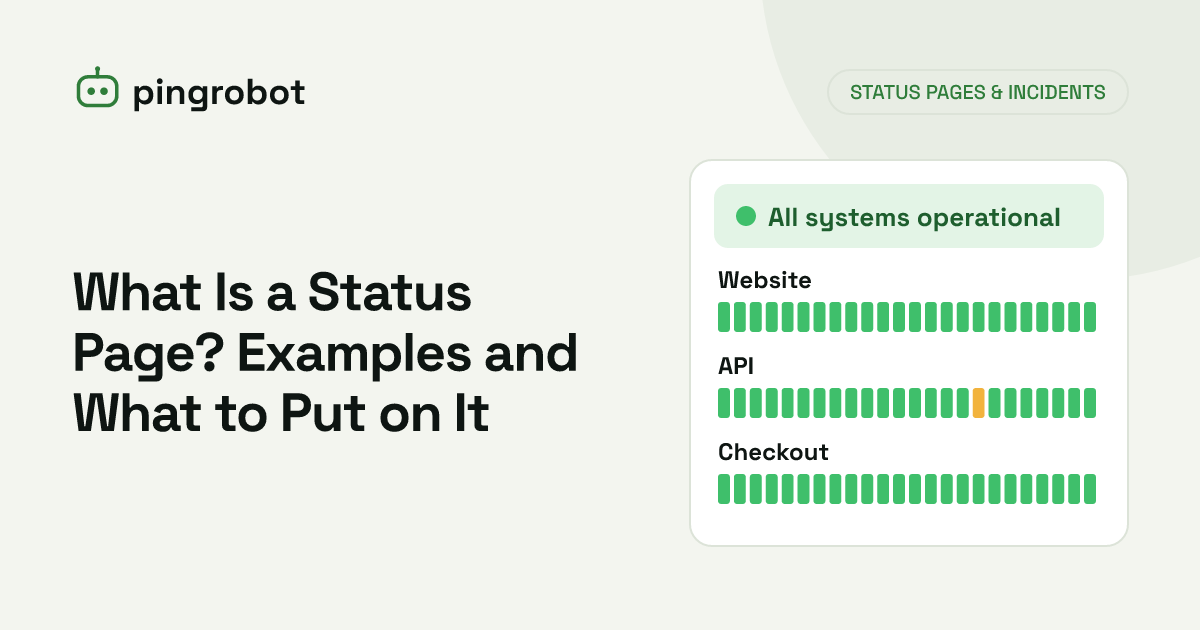
A status page is a web page that shows the current health of a service, broken into components such as Website, API and Checkout, along with active incidents and a history of past ones. Public status pages tell customers whether a problem is on your side; private ones keep internal teams informed. A good one is backed by automated monitoring and short, plain-language incident updates.
A status page is a web page that tells people whether a service is working right now. It lists the parts of the service that users care about, such as the website, the API or checkout, shows each one as operational or affected, and keeps a record of past incidents with timestamped updates. Companies use public status pages so customers can answer "is it me or is it them?" without contacting support, and private ones so internal teams share one view of what is broken. The best status pages combine automated monitoring, which keeps the current state accurate, with short written updates that explain what is happening.
What a status page typically shows
Most status pages, whatever tool produces them, have the same building blocks:
- An overall status line at the top, such as "All systems operational" or "Partial outage".
- Components, each with its own status.
- Active incidents, with the latest update first.
- Incident history for the past weeks or months.
- Uptime figures or bars per component, often for the last 30 or 90 days.
- Scheduled maintenance, announced in advance.
- Subscription options, so people can be notified of new incidents, where the tool supports it.
Public vs private status pages
| Public status page | Private status page | |
|---|---|---|
| Audience | Customers, partners, API consumers | Employees, specific clients |
| Access | Anyone with the link | Login, SSO, IP allowlist or password |
| Detail level | Customer-facing components, plain language | Can include internal systems |
| Typical use | SaaS, APIs, online stores, hosting | Internal tools, intranets, client-specific SLAs |
A public page is the right default for anything customers pay for or build on. It cuts support volume during incidents and signals that you take reliability seriously.
A private page makes sense for internal services, such as the CI system, VPN or internal admin tools, and for agencies or managed service providers who want to report on a specific client's systems without publishing them to the world.
Some organizations run both: a public page with five to ten customer-facing components, and a private page with the detailed internal view.
What to put on it: choosing components
Name components after what users do, not how your infrastructure is built. A customer does not know what "worker-pool-b" is, but they know whether they can log in.
Examples by type of business
SaaS application
- Website
- Login and accounts
- Web app
- Public API
- Email notifications
- Integrations (if third-party connections matter to users)
Online store
- Storefront
- Product search
- Checkout and payments
- Order confirmation emails
- Customer accounts
Developer API
- REST API
- Authentication (token issuing)
- Webhooks delivery
- Dashboard
- Documentation
Agency or web host
- One component per client site, or one page per client
- Shared hosting servers, grouped by region
- Email hosting
Guidelines for components
- Keep the list short. Five to ten components is easy to scan. Forty is not.
- Group related checks. One "Checkout" component can be backed by several monitors.
- Leave out internal details: hostnames, IP addresses, database names and ports.
- Only list what you monitor. A component that is never updated becomes a false promise.
Status levels
Most status pages use a small, fixed set of levels. A common scale:
| Level | Meaning |
|---|---|
| Operational | Working normally |
| Degraded performance | Working, but slower than usual or with occasional errors |
| Partial outage | Unavailable for some users, regions or features |
| Major outage | Unavailable for most or all users |
| Under maintenance | Intentionally offline during a planned window |
Be consistent. If "degraded" sometimes means "slow" and sometimes means "half the requests fail", readers stop trusting the levels.
Incident wording examples
The automated part of a status page shows that something is wrong. The written updates tell people what it means for them. Each update should state the impact, what you are doing and when the next update will come.
Here is one incident, written as it progresses. The example is an API slowdown, a common case where the service is up but not healthy:
First update
API requests are taking longer than usual and some are timing out. The dashboard is not affected. We are looking into it and will update this page by 10:30 UTC.
Cause found
The slowdown is caused by an overloaded database server. We are moving traffic to a standby server. Requests may continue to fail intermittently for the next 15 minutes.
Fix applied
Traffic has been moved and API response times are back to normal. We are watching closely before closing this incident.
Resolved
Between 09:52 and 10:41 UTC, some API requests were slow or timed out. No data was lost. We are adding database capacity and alerting to catch this earlier.
What makes these work:
- Impact first, in the customer's terms ("requests are timing out"), not internal terms ("db-02 CPU at 100%").
- Scope stated: what is affected and what is not.
- A time for the next update, which you then keep.
- Times in UTC or with an explicit time zone.
- No speculation. Only state causes you have confirmed.
Phrases to avoid: "some users may be experiencing issues" with no detail, "we apologize for any inconvenience" as the whole message, and blaming a named vendor while the incident is still open.
Status page vs monitoring dashboard
These are often confused:
- A monitoring dashboard is for your team. It shows individual checks, response time graphs, error details and alert history.
- A status page is for the people who depend on you. It shows a simplified per-component view and the human explanation.
The two should be connected. When a monitor confirms a failure, the matching component on the status page should change without someone having to remember to update it. PingRobot's public status pages work this way: they are built from your existing monitors, so a confirmed outage shows up on the page automatically, and you post incident and maintenance updates on the same page. On Pro the page can live on your own domain, and visitors can subscribe to those updates by email.
Who benefits from a status page
- SaaS products and APIs, where customers' own work depends on yours.
- Online stores, where a broken checkout drives an immediate wave of emails.
- Agencies, who can give each client a page instead of answering "is my site down?" one by one.
- Internal IT teams, who can point employees to one page during an outage.
A small brochure site may not need one. It starts paying off when people depend on the service to get something done.
Signs of a good status page
- It loads during your outages, because it is hosted separately from the product.
- It turns red within minutes of a real failure, thanks to automated checks.
- Its incident history includes bad days, not just green bars.
- It is linked from your website footer, app help menu, docs and support auto-replies.
- Its uptime numbers have a clear definition. See uptime percentage explained for what the percentages mean in minutes.
When you are ready to build one, follow the step-by-step guide on how to create a status page. For the monitoring behind it, see what uptime monitoring is and how API monitoring fits in.
Start monitoring free — 10 monitors, no credit card.
Frequently asked questions
What is the difference between a status page and a monitoring dashboard?
A monitoring dashboard is for your team and shows detailed metrics such as response times, error rates and individual checks. A status page is for the people who depend on the service and shows a simplified view per component, plus human-written incident updates.
Does a status page hurt my reputation by showing outages?
Customers notice outages whether or not you publish them. A page that acknowledges problems quickly and shows they were resolved tends to build more trust than silence, and it reduces duplicate support requests.
Where should a status page be hosted?
Somewhere that does not share infrastructure with the product, so it stays online during the outages it is meant to report. Many teams use a subdomain such as status.example.com pointing to a hosted status page provider.
Should I show uptime percentages on a status page?
It is common and useful, as long as the number comes from automated checks and you are comfortable with it being public. Make sure you know which period it covers and how downtime is counted.