API Monitoring With JSON Assertions
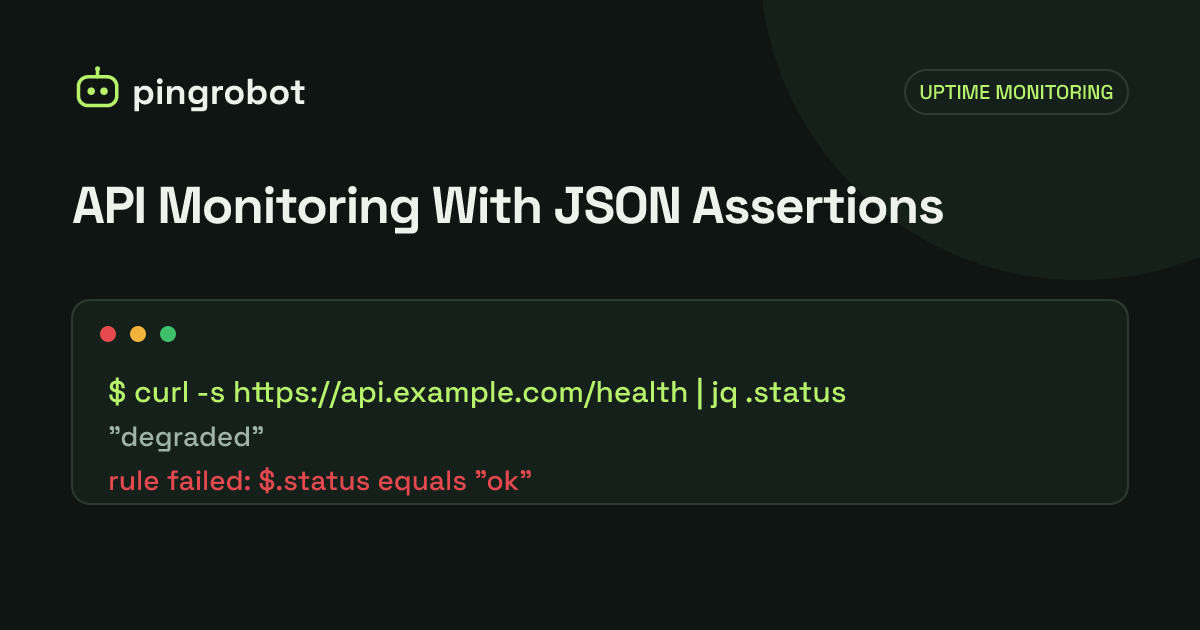
A JSON assertion checks a specific value inside an API response, such as $.status equals "ok" or $.items not empty, instead of only the HTTP status code. Assert on fields that describe health and only change when something is wrong, avoid volatile values like timestamps and tokens, and keep each check to one request. Full contract testing of every endpoint belongs in your test suite, not your uptime monitor.
API monitoring with JSON assertions means requesting an endpoint on a schedule, parsing the JSON body, and checking that specific values are what they should be: $.status equals "ok", $.checks.database equals "up", $.items is not empty, $.queue_depth is less than 1000. A status code tells you something answered. An assertion tells you the answer was right. Pick fields that describe health and only change when something is wrong, avoid values that change on every request, and keep each check to a single request.
This guide covers what to assert, how JSON paths work, examples for common health endpoints, and the mistakes that turn a useful check into noise. If you have not built a health endpoint yet, start with how to monitor a REST API's health endpoint.
Why the status code is not enough
Plenty of broken APIs return HTTP 200:
- A framework health route that returns
{"status":"ok"}while reporting a failed dependency in a nested field. - A search endpoint that returns
{"results": []}because the index is empty after a failed rebuild. - A gateway or CDN that serves a cached copy of yesterday's response.
- An endpoint that returns
{"error": "upstream timeout"}with a 200 because someone wrapped every error that way.
A keyword check catches some of these, but it compares raw text. It breaks when a serializer adds a space after the colon or reorders fields, and it cannot say "this number is below 500" or "this list has at least one item". Assertions on parsed JSON can.
JSON path basics
Most monitoring tools address values with a JSONPath-style expression. The simple subset covers almost every health check:
| Path | Meaning |
|---|---|
$ |
The whole document |
$.status |
The status field at the top level |
$.checks.db.status |
A nested field |
$.items[0] |
The first element of the items array |
$.items[0].id |
The id of the first element |
$["content-type"] |
A key that contains characters not allowed after a dot |
Given this response:
{
  "status": "ok",
  "version": "2.14.1",
  "checks": {
    "db": { "status": "up", "latency_ms": 4 },
    "cache": { "status": "up", "latency_ms": 1 }
  },
  "queue": { "pending": 12 },
  "regions": ["eu-west", "us-east"]
}
$.checks.db.latency_ms is 4, $.regions[1] is "us-east", and $.queue.pending is 12. Full JSONPath also has wildcards and filters ($.items[*], $..status), but monitoring tools often support only plain paths, and plain paths are easier to reason about when an alert fires at 3 a.m.
Test a path locally with jq before you put it in a monitor. jq's syntax is close: drop the $.
curl -s https://api.example.com/health | jq '.checks.db.status'
curl -s https://api.example.com/health | jq '.regions | length'
What to assert
Overall status fields
The first assertion is usually the health endpoint's own verdict: $.status equals "ok" (or "pass", "healthy", whatever your API uses). It is the cheapest way to confirm the response came from your application and not a proxy error page.
Dependency status
If the endpoint reports dependencies separately, assert on the ones that matter to users. A database that is down makes the API useless; an analytics sink that is down may not. Assert on the critical ones only:
$.checks.db.statusequals"up"$.checks.payments.statusequals"up"
Leave out components whose failure you would not act on immediately. They belong on a dashboard.
Counts and non-empty arrays
For data endpoints, emptiness is often the failure. A product list, a feature flag set or a pricing table that suddenly comes back empty usually means a failed import or a bad deploy:
$.itemsis not empty$.totalgreater than0
Do not assert an exact count unless the data is genuinely fixed. "At least one" is robust; "exactly 248" breaks the next time someone adds a product.
Thresholds on reported numbers
Some health endpoints report internal numbers worth bounding:
$.queue.pendingless than1000, to catch a stuck worker.$.checks.db.latency_msless than200, to catch a struggling database before requests time out.$.replication_lag_sless than30.
Set thresholds from real values with room to spare. If the queue normally peaks at 300, a threshold of 1,000 alerts on a real backlog without firing during a busy hour.
Presence and absence
exists and not exists assertions are useful for error envelopes. If your API returns {"error": ...} alongside a 200 on failure, assert that $.error does not exist. If a field must always be present, such as $.version, assert that it exists without pinning its value.
Examples
A plain health endpoint
GET https://api.example.com/health
Expected status: 200
Assertions:
  $.status            equals     ok
  $.checks.db.status  equals     up
  $.error             not exists
A public read endpoint
Pick one real, read-only endpoint that clients depend on, with a small, stable query:
GET https://api.example.com/v1/products?limit=1
Expected status: 200
Assertions:
  $.data              not empty
  $.data[0].id        exists
  $.data[0].price     greater than  0
An endpoint behind an API key
Create a dedicated, read-only key for monitoring, scoped to the one endpoint, and send it as a header:
GET https://api.example.com/v1/account/status
Header: Authorization: Bearer <monitoring key>
Expected status: 200
Assertions:
  $.account.active    equals     true
Do not use a personal or admin token. If the monitor's configuration ever leaks, the damage should be limited to reading one harmless endpoint.
Pitfalls
Asserting volatile values
Timestamps, request IDs, build hashes, cache-busting tokens and "server time" fields change on every request or every deploy. Asserting their exact value guarantees false alarms. Assert that they exist, or leave them out.
Pinning the version
$.version equals "2.14.1" will fail on the next release, which is exactly when you want quiet, correct alerts. Use exists instead, and track versions through your deploy tooling.
Expecting short-lived tokens to keep working
If an endpoint requires an OAuth access token that expires after an hour, a monitor with a pasted token works for an hour. Use a long-lived, narrowly scoped API key for monitoring, or monitor an endpoint that does not need one. Never put a secret in the URL query string, where it ends up in access logs.
Monitoring a cached response
If a CDN or reverse proxy caches the health response, every check passes while the origin is down. Send Cache-Control: no-store from the health endpoint, exclude it from CDN caching, and confirm with curl:
curl -sI https://api.example.com/health | grep -i -E 'cache-control|age|cf-cache-status|x-cache'
An Age header above zero or a cache HIT means you are not testing the origin.
Types that do not match
"latency_ms": "4" (a string) and "latency_ms": 4 (a number) look the same in a browser. Some tools compare numbers strictly, some convert. Check the raw response with jq type on the field if a numeric assertion fails for no visible reason.
Optional fields
A field that only appears on some responses, such as $.warnings, makes an exists assertion flap. Assert only on fields the API always returns.
Too many assertions
Ten assertions on one endpoint feel thorough, but each one is another way for a harmless response change to page someone. If a field does not tell you the service is broken, it does not belong in the monitor.
Single-request checks vs full API tests
It helps to be clear about what an uptime monitor does. It sends one request on a schedule, from outside your network, and evaluates the response: status code, response time, and rules on the body. That is the right tool for answering "is the API up and returning sane data right now?" every minute or every few minutes.
It is not a replacement for:
- Contract tests that validate every endpoint against an OpenAPI schema.
- Multi-step flows, such as create, read, update and delete in sequence, or log in and then call an authenticated route.
- Load and performance tests.
Those belong in CI and, if you need them in production, in a synthetic testing tool built for scripted checks. PingRobot's API monitors sit on the first side of that line: one request, with your method, headers, body and expected status codes, and JSON rules on the response such as $.status equals ok. That covers health checking without turning your monitor into a second test suite.
Make failures readable
When an assertion fails, the alert should say which one and what the value was: "$.checks.db.status expected up, got down" is actionable; "API check failed" is not. Name monitors after what they protect ("Checkout API") rather than the URL, and add a response-time threshold so slow responses are flagged before they become timeouts.
For alert noise in general, see how to avoid false downtime alerts, and for deciding which endpoints deserve a monitor at all, what URLs you should monitor.
Start monitoring free — 10 monitors, no credit card.
Frequently asked questions
What is the difference between a keyword check and a JSON assertion?
A keyword check searches the raw response text for a string, so it depends on exact spacing and field order. A JSON assertion parses the body and checks the value at a path, so "status":"ok" and "status": "ok" are treated the same, and you can compare numbers or check that an array has items.
How many assertions should one API check have?
Usually two to five. Enough to prove the response is the real API and that its critical dependencies are healthy, but not so many that a harmless change to the response format causes an alert.
Can an uptime monitor replace API tests?
No. An uptime monitor sends one request on a schedule and checks the answer. Tests that walk through every endpoint, validate a full schema or chain requests together belong in CI or a dedicated synthetic testing tool.
Why did my JSON assertion fail when the API looks fine?
Common causes are a path that does not match the real structure, a number returned as a string, a cached or error response that is valid JSON but not the one you expected, or a field that is only present some of the time. Fetch the exact URL with curl and pipe it through jq to see what the monitor sees.