Which URLs Should You Monitor? A Checklist by Site Type
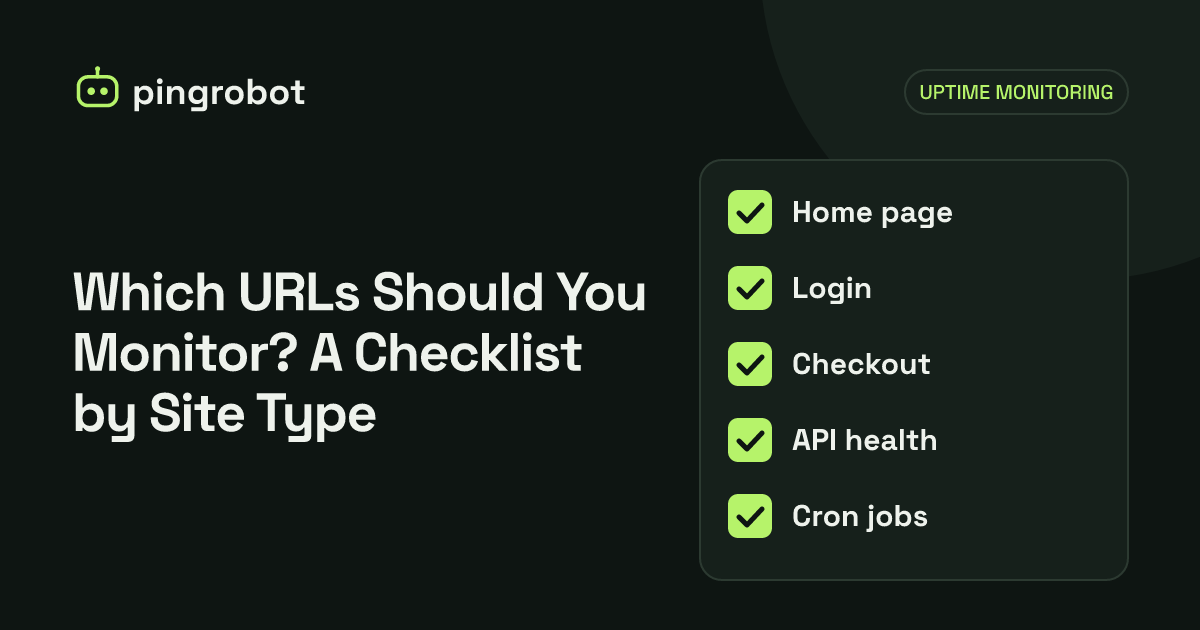
Monitor the pages and endpoints that would cost you money or trust if they broke, not every URL. For most sites that means the homepage, one page that proves the database works, the login or checkout path, the API health endpoint, and a heartbeat for each important scheduled job. Five to ten well-chosen monitors cover most small sites.
Monitor the URLs whose failure would cost you customers, revenue or trust, and choose them so each monitor covers a different part of your stack. For most sites that is the homepage, one uncached page that proves the database answers, the login or checkout path, an API health endpoint if you have one, and a heartbeat for each scheduled job that matters. Use keyword checks where a broken page can still return HTTP 200. The checklists below are organized by site type; most real projects combine two or three of them.
Principles that apply to every site
Before the checklists, five rules that decide which URLs earn a monitor:
- One monitor per failure domain. Pages served by the same template, server and database fail together. Monitor one representative page per component, not every URL.
- Bypass the cache at least once. A CDN can keep serving the homepage while your origin is down. Include at least one page that is generated on each request, or a health endpoint that is not cached.
- Prove the dependency, not just the server. A keyword that comes from the database proves more than a static page. See keyword monitoring for how to choose one.
- Monitor what users type. Use the real public host name, with
https://, includingwwwif that is your canonical address. A check on an internal address misses DNS, TLS and CDN problems. - Silence is a failure too. Jobs that run in the background do not have a URL that goes down. Use heartbeat monitors so you are alerted when they stop reporting.
Marketing site or blog
A brochure site or blog has few moving parts, but the domain, DNS, hosting and contact form are all single points of failure.
| Monitor | Type | Why |
|---|---|---|
Homepage https://www.example.com/ |
HTTP(S) | Catches DNS, TLS, hosting and CDN problems |
| A content page, such as the latest blog post or pricing page | Keyword | Catches broken templates and empty pages that return 200 |
The non-canonical host, such as https://example.com/ without www |
HTTP(S) | Confirms the redirect still works |
| Contact or booking form backend, if hosted separately | HTTP(S) | Leads are lost silently when the form endpoint fails |
Three or four monitors are enough. If the site is static and hosted on a CDN, the homepage check plus one keyword check covers most risks.
SaaS application
A SaaS product usually has a marketing site, an application, an API, and background workers, often on different infrastructure. Each needs its own coverage.
| Monitor | Type | Why |
|---|---|---|
| Marketing homepage | HTTP(S) | Different hosting from the app in many setups |
App login page https://app.example.com/login |
Keyword | The first page every customer hits; keyword proves it rendered |
Application health endpoint /health |
Keyword | Checks the app and its database or cache in one request |
API health endpoint https://api.example.com/health |
Keyword | API clients fail before humans notice |
| Authentication provider callback or sign-in route, if self-hosted | HTTP(S) | Login problems lock everyone out |
| Database or cache port, if reachable from outside | TCP port | Separates "app down" from "database unreachable" |
| Background worker, queue consumer | Heartbeat | Workers can stop while the web app looks fine |
| Nightly billing, reports, cleanup jobs | Heartbeat | Missed runs are invisible until a customer complains |
| Your own status page | HTTP(S) | It needs to work when everything else does not |
Do not expose a database port to the internet just to monitor it; a TCP port check only makes sense for ports that are already reachable, such as SMTP, SSH or a public game server. For internal services, report their state through the health endpoint instead.
E-commerce store
For a store, the path to purchase matters more than the homepage.
| Monitor | Type | Why |
|---|---|---|
| Homepage | HTTP(S) | Domain, DNS and hosting |
| A best-selling product page | Keyword on add-to-cart text | Catches broken themes, empty catalogs, maintenance or password pages |
| A category or collection page | Keyword | Catches search, filter or catalog failures |
| Cart page | Keyword | Last page before checkout that does not need a session |
| Payment or order webhook receiver, if self-hosted | HTTP(S) on a health route | Missed payment notifications cause unfulfilled orders |
| Inventory, feed or ERP sync | Heartbeat | Stopped syncs cause overselling and wrong prices |
Checkout itself is hard to monitor from outside because it needs a session and a real payment. Watch your payment provider's status page and test a real order after significant changes. For a hosted platform, see how to monitor a Shopify store.
API
APIs are used by programs, which fail quickly and loudly when the API breaks, often before anyone looks at a dashboard.
| Monitor | Type | Why |
|---|---|---|
Health endpoint, such as GET /health |
Keyword on "status":"ok" |
Proves the service and its dependencies respond |
| One representative read endpoint that needs no authentication | Keyword | Proves real data flows, not just the health route |
| Each separately deployed service or region | HTTP(S) or keyword | Different deployments fail independently |
| API documentation site | HTTP(S) | Developers integrating with you rely on it |
A health endpoint should check the dependencies that matter and return a non-200 status when one fails, so both a status check and a keyword check can catch it:
$ curl -s https://api.example.com/health
{"status":"ok","database":"ok","cache":"ok"}
Keep it fast and free of side effects, and avoid exposing version numbers or internal host names in the response. Never put secrets or API keys in a monitored URL.
WordPress site
WordPress has a few failure modes that are specific to it.
| Monitor | Type | Why |
|---|---|---|
| Homepage | Keyword on text from your theme or a recent post | Catches "Error establishing a database connection" and the white screen of a fatal PHP error |
| A single post or page | Keyword | Catches permalink and template problems |
/wp-login.php |
Keyword on the login form's text | Confirms the admin side works |
| WooCommerce product and cart pages, if used | Keyword | Same reasons as any store |
| WP-Cron via a real cron job | Heartbeat | Scheduled posts, backups and emails depend on it |
By default, WP-Cron runs only when someone visits the site, so low-traffic sites may run scheduled tasks late or not at all. A common setup is to disable the built-in trigger with define('DISABLE_WP_CRON', true); in wp-config.php and call it from the server's crontab, adding a heartbeat ping after it succeeds:
*/5 * * * * curl -fsS https://www.example.com/wp-cron.php?doing_wp_cron > /dev/null && curl -fsS --retry 3 https://heartbeat.example/your-token > /dev/null
Replace the second URL with your heartbeat monitor's URL. The cron job monitoring guide explains the && pattern and grace periods.
Background jobs and scheduled tasks
Anything that runs on a schedule rather than in response to a request needs a heartbeat, because there is no page to check.
- Database and file backups
- Email and newsletter sends
- Data imports, exports and feed generation
- Invoice generation and subscription renewals
- Cache warmers, sitemap builders and search index rebuilds
- Certificate renewal jobs, such as a certbot timer
- Cleanup tasks that keep disks from filling up
For each one, ping the heartbeat URL only after the job succeeds, and set the expected interval to the schedule plus a grace period that covers the longest normal run.
Infrastructure around the site
Finally, a few items that are not pages but often cause outages:
- Mail server ports (SMTP on 25 or 587) if you run your own mail.
- SSH on a server you need to reach in an emergency, to tell "web server down" from "machine down."
- Your status page and documentation, hosted separately from the main site.
- Domain and certificate expiry. An uptime check fails after a certificate or domain expires; track renewal dates separately, through registrar auto-renew and your certificate tool's renewal job, so it never gets that far.
Putting it together
A small SaaS with a marketing site, app, API and three scheduled jobs might use:
- Marketing homepage (HTTP)
- App login page (keyword)
- App health endpoint (keyword)
- API health endpoint (keyword)
- Status page (HTTP)
- Nightly backup (heartbeat)
- Billing job (heartbeat)
- Queue worker (heartbeat every few minutes)
That is eight monitors. With PingRobot's free plan of 10 monitors and 5-minute checks, the same set fits with room to spare, and the two leftover slots are a good place for the first gap your next incident reveals. When a monitor does fire, start with the website down checklist.
Start monitoring free — 10 monitors, no credit card.
Frequently asked questions
How many monitors does a typical small website need?
Three to five covers most marketing sites and small stores. A SaaS product with an API and background jobs usually needs eight to fifteen. Add monitors when an incident shows you a gap rather than trying to cover every page up front.
Should I monitor every page of my site?
No. Pages built from the same template and server fail together, so one representative page per template is enough. Spend monitors on different components, such as the app, the API, the database-backed pages and scheduled jobs.
Is monitoring the homepage enough?
Rarely. Homepages are often cached by a CDN and can keep loading while the application behind them is down. Add at least one uncached page that depends on your database.
Should I monitor third-party services I depend on?
Monitor the parts of them you call directly, such as an API endpoint you can reach without side effects, and subscribe to their status pages. Your own health endpoint can also report whether key dependencies respond.