Keyword Monitoring - Catch Broken Pages That Return 200 OK
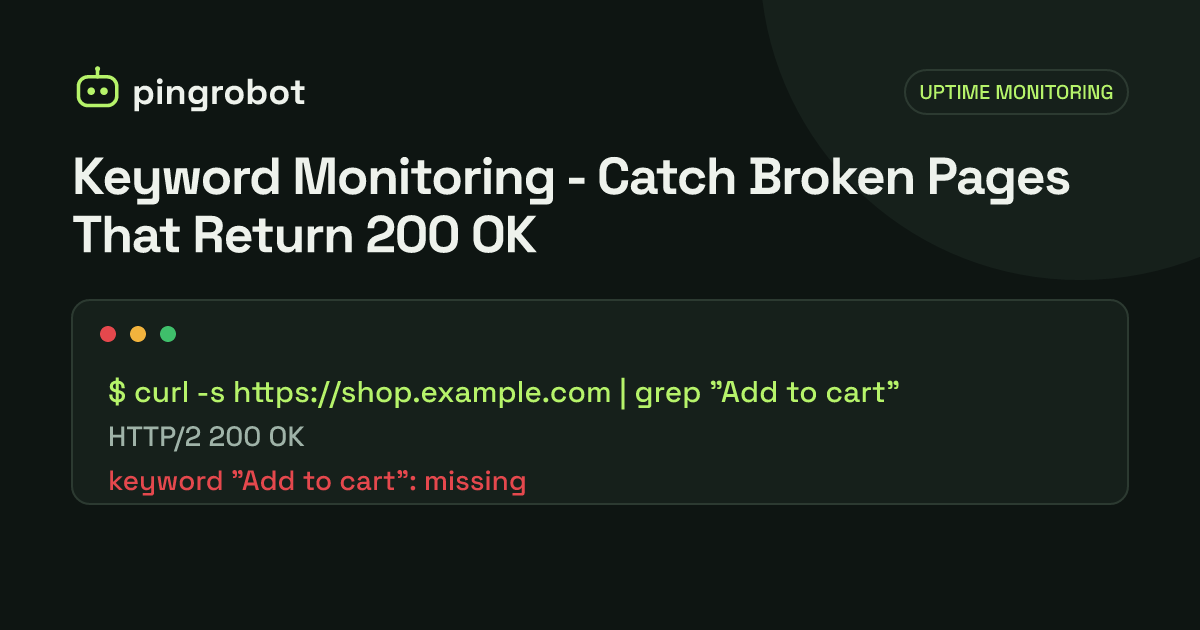
Keyword monitoring fetches a page and checks that a specific word or phrase appears in the response, not just that the server returned 200 OK. It catches failures that plain HTTP checks miss, such as database error messages, empty templates, maintenance pages and defaced sites. Choose a keyword that only appears when the page is fully working.
Keyword monitoring is an uptime check that downloads a page and verifies that a specific piece of text is present in the response. A plain HTTP monitor only looks at the status code, so it reports "up" whenever the server answers with 200 OK, even if the page shows a database error or a blank template. A keyword monitor fails in those cases, because the text you expect is missing. Pick a word or phrase that only appears when the page is working end to end, such as a button label rendered from your database.
Failures that return 200 OK
Plenty of real outages do not produce an HTTP error code:
| What visitors see | Status code | Plain HTTP check | Keyword check |
|---|---|---|---|
| "Error establishing a database connection" | Often 200 or 500 | Passes on 200 | Fails |
| Empty page or broken template | 200 | Passes | Fails |
| Hosting "account suspended" page | Often 200 | Passes | Fails |
| Maintenance mode left on after a deploy | 200 or 503 | Passes on 200 | Fails |
| CDN serving a stale or default page | 200 | Passes | Fails if the keyword is current |
| Defaced or spam-injected homepage | 200 | Passes | Fails if the keyword was removed |
| Login redirect loop ending on a generic page | 200 after redirects | Passes | Fails |
Content management systems, frameworks and hosting control panels often show friendly error pages with a 200 status, which is exactly what a status-only monitor cannot detect.
Choosing a good keyword
The keyword is the most important setting. A good one is:
- Specific to the working page. It should not appear on error, maintenance or login pages.
- Generated by your application, ideally from the database. A product name or a list heading that comes from a query proves the database is answering.
- Stable. Avoid text that marketing changes weekly, prices that change daily, dates and session-specific values.
- Present in the HTML source, not only after JavaScript runs.
- Short but not generic. "Add to cart" on a product page is good. "Home" is not, because it appears on almost every page, including error pages.
Good and bad examples
| Page | Good keyword | Weak keyword | Why |
|---|---|---|---|
| Online store product page | Add to cart |
Shop |
"Shop" is in the header of every page, including errors |
| Blog homepage | A category name listed from the CMS | Site title | The title is often in the error template too |
| SaaS login page | Forgot your password? |
Login |
"Login" can appear on an error page that links to login |
| Booking page | Check availability |
Book |
Too short and common |
| JSON health endpoint | "database":"ok" |
ok |
ok matches many unrelated strings |
See what the monitor sees
Before you save a keyword, confirm it is in the raw response:
curl -sL https://example.com/product/blue-mug | grep -c "Add to cart"
A result of 1 or higher means the text is in the HTML. A result of 0 means either the text is rendered by JavaScript or it is spelled differently in the source.
To view the response headers and status as well:
curl -sIL https://example.com/product/blue-mug
Some servers return different HTML to different user agents or block requests that look automated. If the page looks different to curl than to your browser, check firewall and bot-protection rules, and allow your monitoring service if necessary.
Build a health endpoint for APIs and apps
For an application you control, the most reliable keyword target is a small endpoint that tests real dependencies and reports the result in plain text or JSON:
GET /health

{"status":"ok","database":"ok","cache":"ok"}
Guidelines:
- Run a cheap query, such as
SELECT 1, rather than a heavy report. - Return a non-200 status when a dependency fails, so both the status check and the keyword check catch it.
- Keep it fast, under a second, so the check does not time out.
- Do not include secrets, version strings with known vulnerabilities or internal hostnames in the output.
Then monitor /health with the keyword "database":"ok".
Inverse keywords: alerting when text appears
Some monitoring tools also support the opposite rule: fail if a word is present. That is useful for catching:
Fatal errororStack traceleaking onto a pagemaintenanceon a page that should be live- Known spam words injected into a hacked site
If your tool does not support inverse matching, you can usually achieve the same result with a positive keyword that disappears when the page breaks.
Keyword monitoring checklist
- Monitor the pages that earn money or generate leads, not just the homepage
- One keyword per monitor, unique to the working state of that page
- Keyword confirmed with
curlin the raw HTML - Avoid prices, dates, personalized content and frequently edited marketing copy
- Use a health endpoint for apps and APIs
- Re-check keywords after redesigns, CMS migrations and theme updates, because they often change labels
- Set a timeout of 10 to 30 seconds so a very slow page also counts as a failure
Common causes of false alarms
- A/B tests that change button text for some requests
- Geo or language redirects that serve a translated page to the monitoring location
- Cookie consent walls that replace content for first-time visitors
- Rate limiting or bot protection that returns a challenge page
- Cache purges that briefly serve a fallback page
If a keyword monitor flaps, fetch the page with curl from a different network and compare the output before changing the keyword.
PingRobot offers keyword monitors next to plain HTTP(S) checks, and confirms failures from a second region before alerting. For the basics of monitoring, read what is uptime monitoring, and if a check fails, work through the website down checklist.
Start monitoring free — 10 monitors, no credit card.
Frequently asked questions
Does a keyword monitor see content loaded by JavaScript?
Usually not. Keyword checks typically read the raw HTML the server returns and do not run JavaScript, so text rendered in the browser by a front-end framework may not be there. Test with curl to see what the monitor sees.
Is keyword matching case-sensitive?
It depends on the tool. To be safe, copy the keyword exactly as it appears in the HTML source, including capitalization.
What is a good keyword for an online store?
Text that only appears when products load from the database, such as the add-to-cart button label on a product page, or a price currency symbol next to a product name.
How is keyword monitoring different from an HTTP status check?
A status check only looks at the response code. A keyword check also reads the body, so it fails when the server returns 200 but the page content is wrong.